Why use RodiumAi in n8n
n8n is one of the most popular platforms for building automations and AI agents. With the n8n-nodes-rodiumai package, your workflows can call large language models from the leading AI providers through RodiumAi, the unified AI infrastructure platform for Africa.
Instead of managing one account, one key and one credit card per AI provider, your workflows reach models from every provider through a single RodiumAi connection:
One API key for OpenAI, Anthropic, Google, xAI, Meta, DeepSeek, Mistral, Qwen and more.
More than 200 models from these providers: text, image, video, speech and embeddings. The n8n nodes use the text models today, listed live through the RodiumAi API, and the other model types will follow as the package evolves.
Smart routing: RodiumAi sends each request to the right model for the job.
Pay with Mobile Money: MTN MoMo, Orange Money, Wave, Airtel Money, Moov Money, M-Pesa and others, in RODI credits.
The RodiumAi nodes
The package adds one credential and two nodes to n8n:
RodiumAi API (credential): your RodiumAi key, checked by n8n when you save it.
RodiumAi Chat Model: a language model sub-node for the AI Agent, the Basic LLM Chain and other AI root nodes. Streaming and tool calling are supported.
RodiumAi (action node): call a model directly from any workflow with Chat › Create Completion (text or JSON output), or list the available models with Model › List Models. It can also be used as a tool by an AI Agent, which is why you will see a RodiumAi Tool entry in the node panel.
Before you start
A self-hosted n8n instance. The RodiumAi Chat Model needs n8n 2.16 or later.
A RodiumAi account with a positive RODI balance. Sign up and top up with Mobile Money in your dashboard.
Install the package
In n8n, open Settings › Community Nodes.
Click Install and enter
n8n-nodes-rodiumai.Confirm. The RodiumAi nodes now appear in the node panel.
Build an AI agent with RodiumAi
In this walkthrough, we build a chat agent: a Chat Trigger, an AI Agent, and a model reached through RodiumAi as the agent's brain.
1. Add the RodiumAi nodes
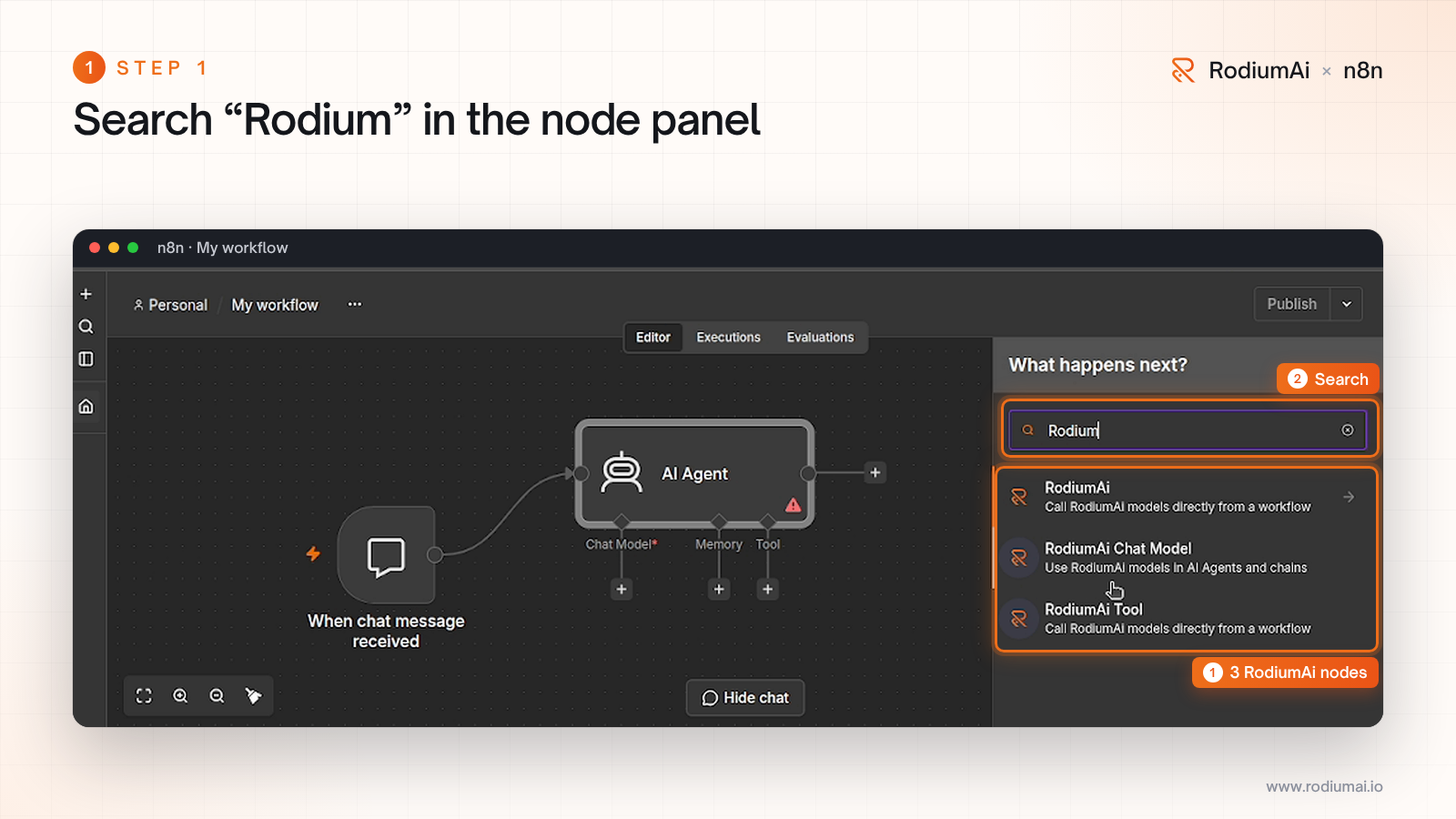
Create a workflow and add an AI Agent: n8n connects a Chat Trigger to it. On the agent's Chat Model input, click + and search for "Rodium". You will see the three RodiumAi entries.
2. Open the RodiumAi Chat Model
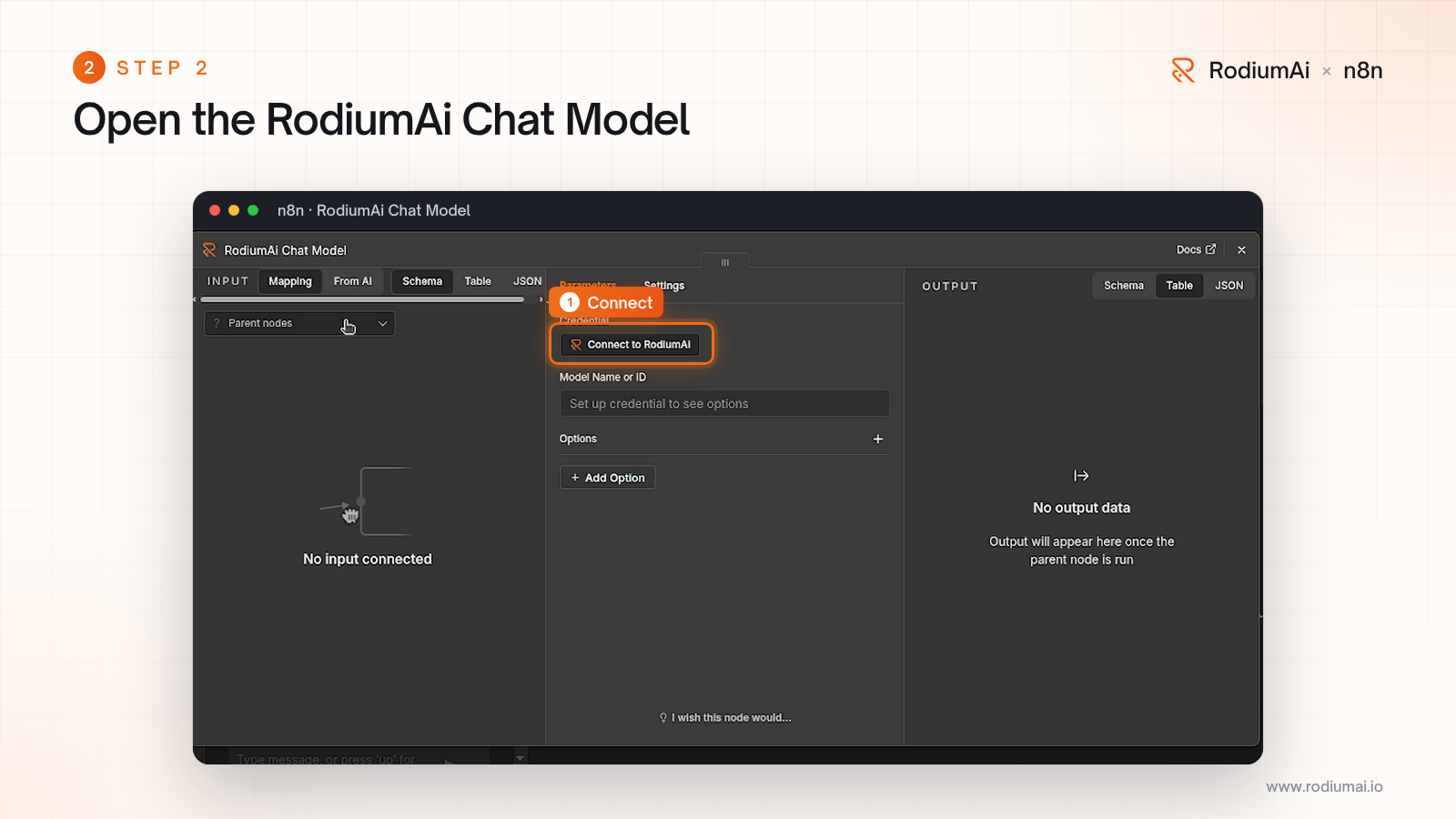
Select RodiumAi Chat Model. Before choosing a model, connect your RodiumAi account.
3. Create an API key
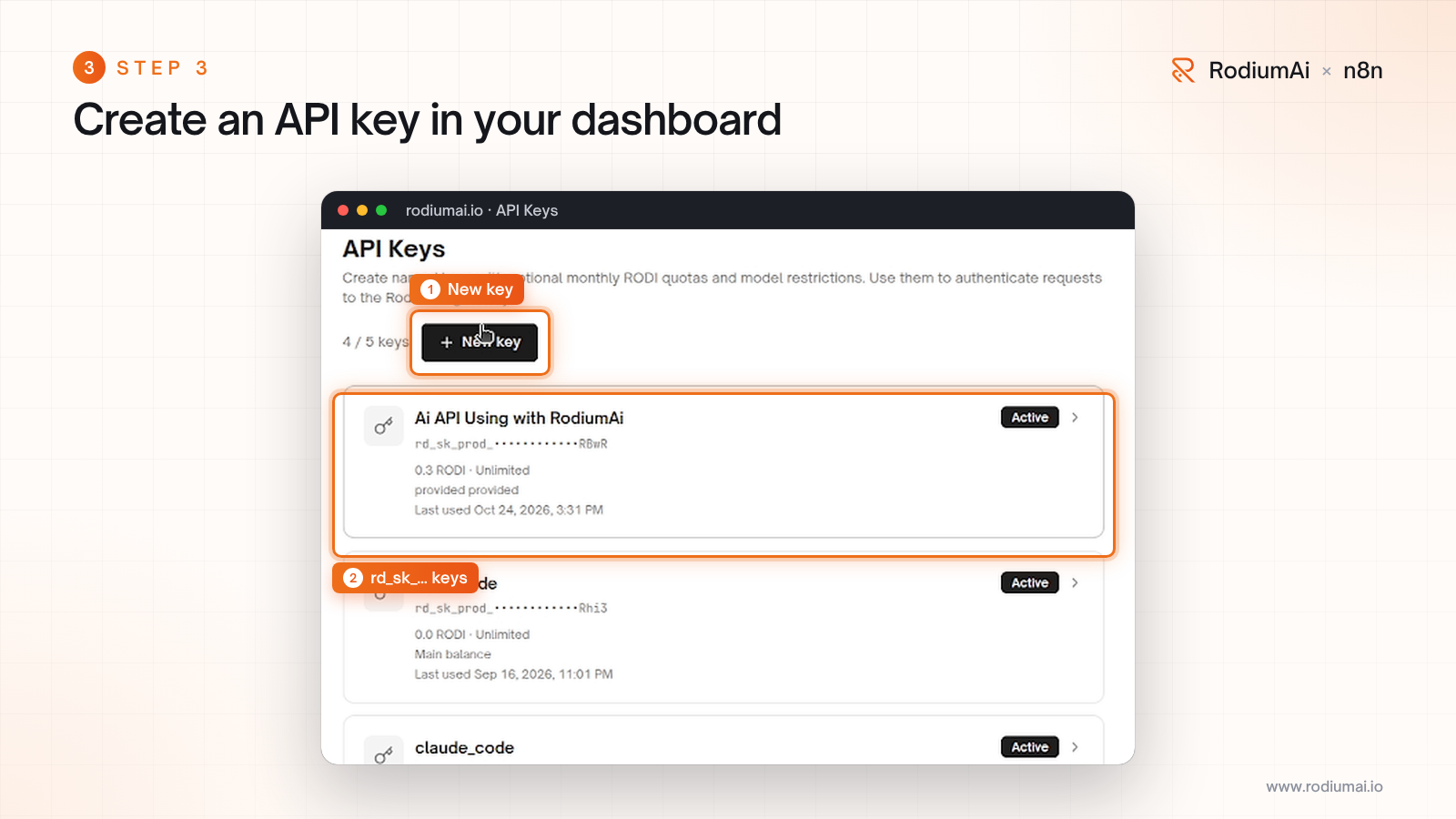
In your RodiumAi dashboard, go to API Keys and click New key. Keys start with rd_sk_. You can limit each key to certain models or give it a monthly RODI quota.
4. Save the credential in n8n
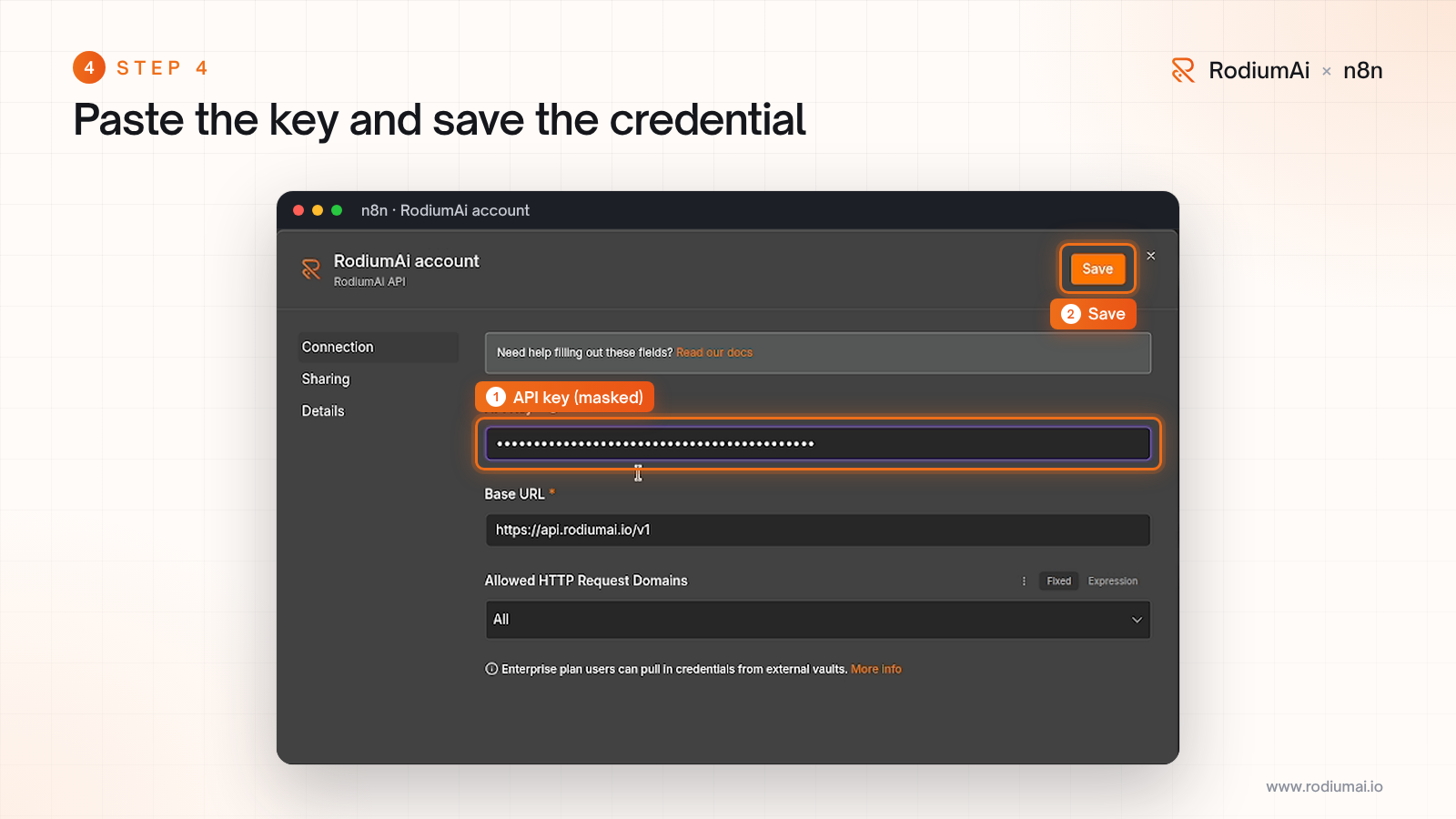
Back in n8n, create a RodiumAi API credential, paste your key and click Save. Leave the Base URL as it is: https://api.rodiumai.io/v1. The key stays masked.
5. Your key is verified
n8n tests the key against your RodiumAi wallet and confirms that the credential was created. The default model is rodiumai/smart, our smart router.
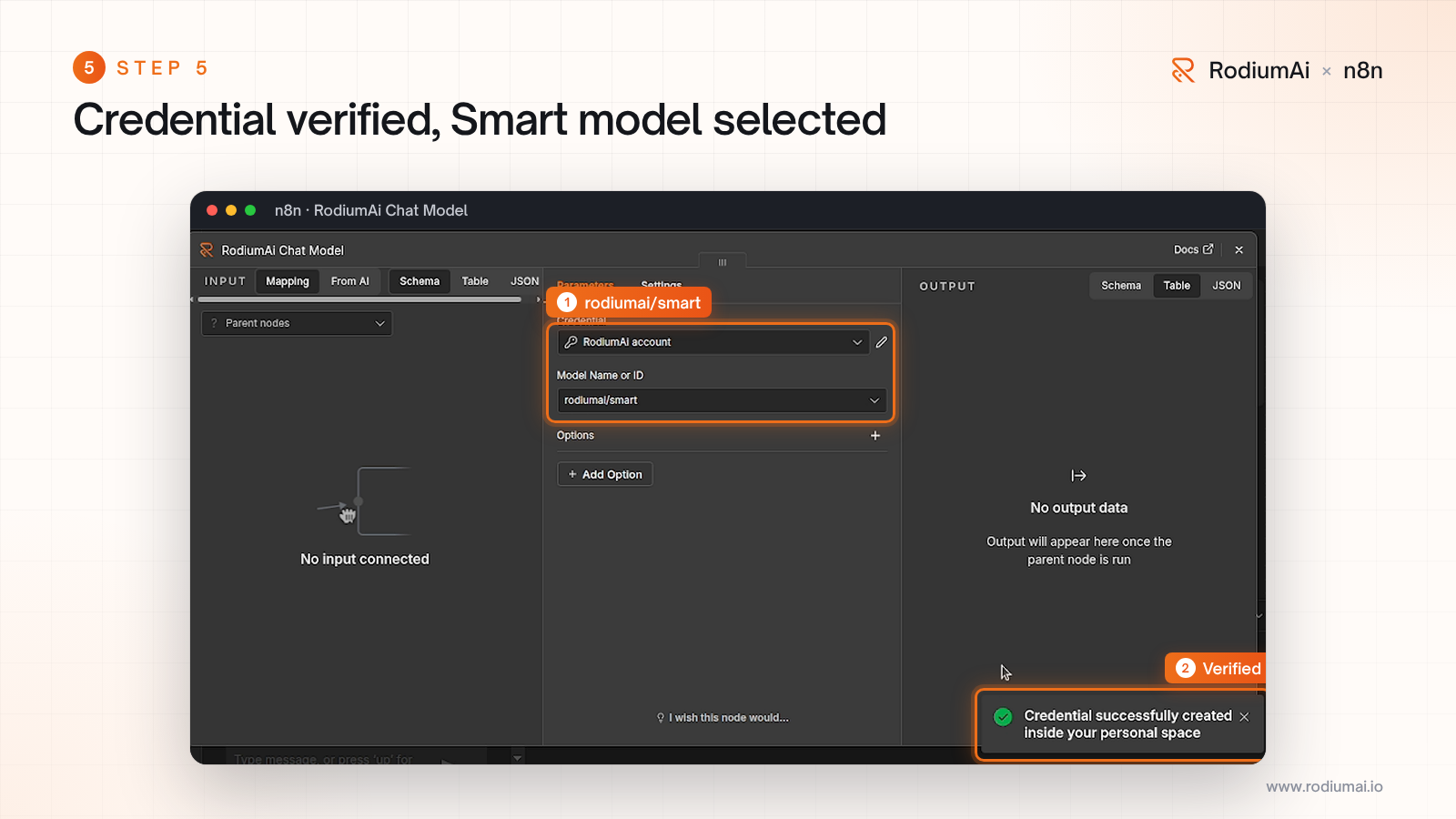
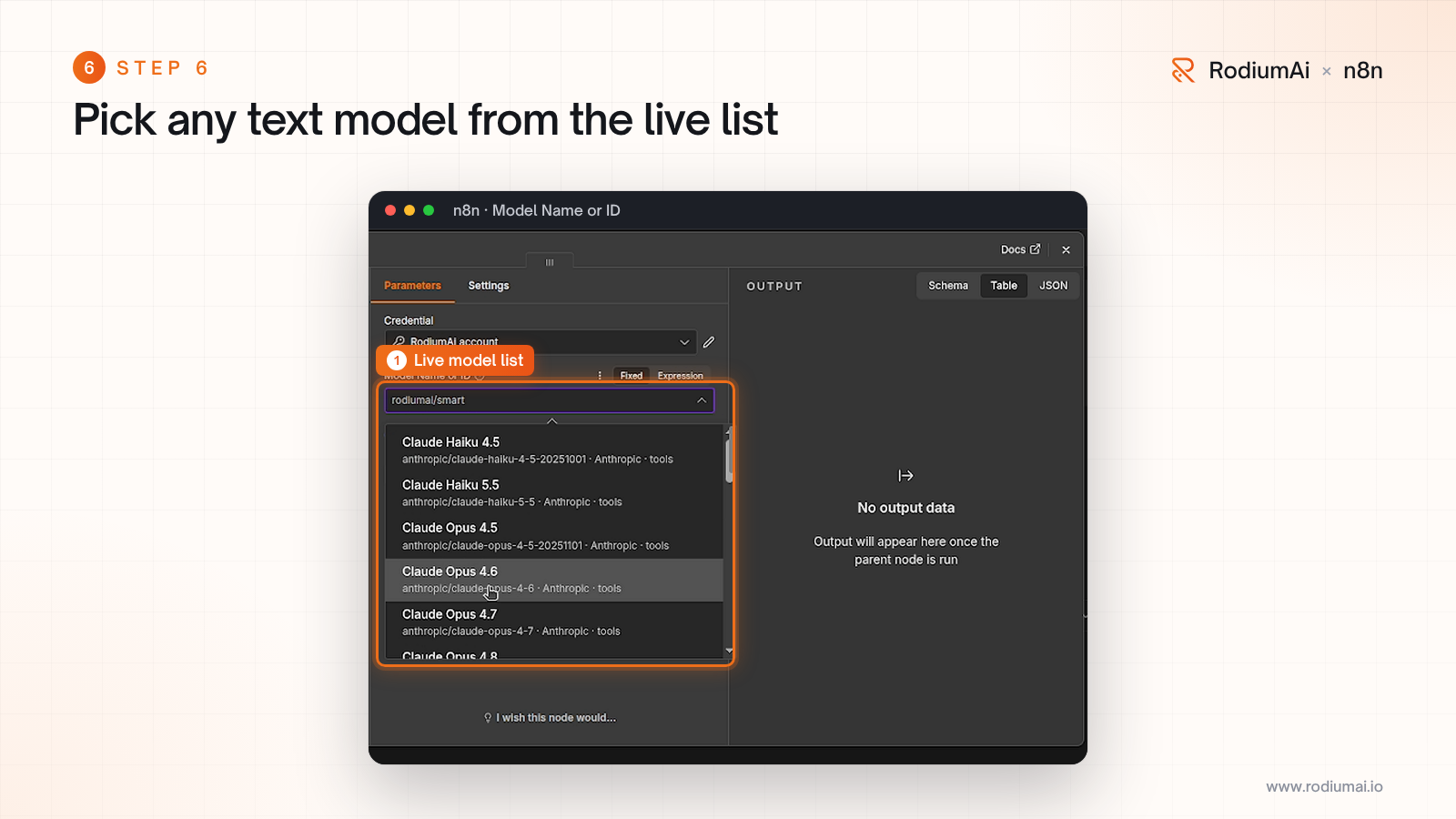
6. Pick a model
Open the model list to choose a specific model. It comes live from the RodiumAi API and only shows text models: the smart routing options first, then the provider models you can reach through RodiumAi. Models marked tools support tool calling, which you need for agents with tools.
7. Chat with your agent
Open the chat and send a message. The request goes through the AI Agent to the RodiumAi Chat Model, and the answer comes back in the chat. The execution logs show the model input and output.
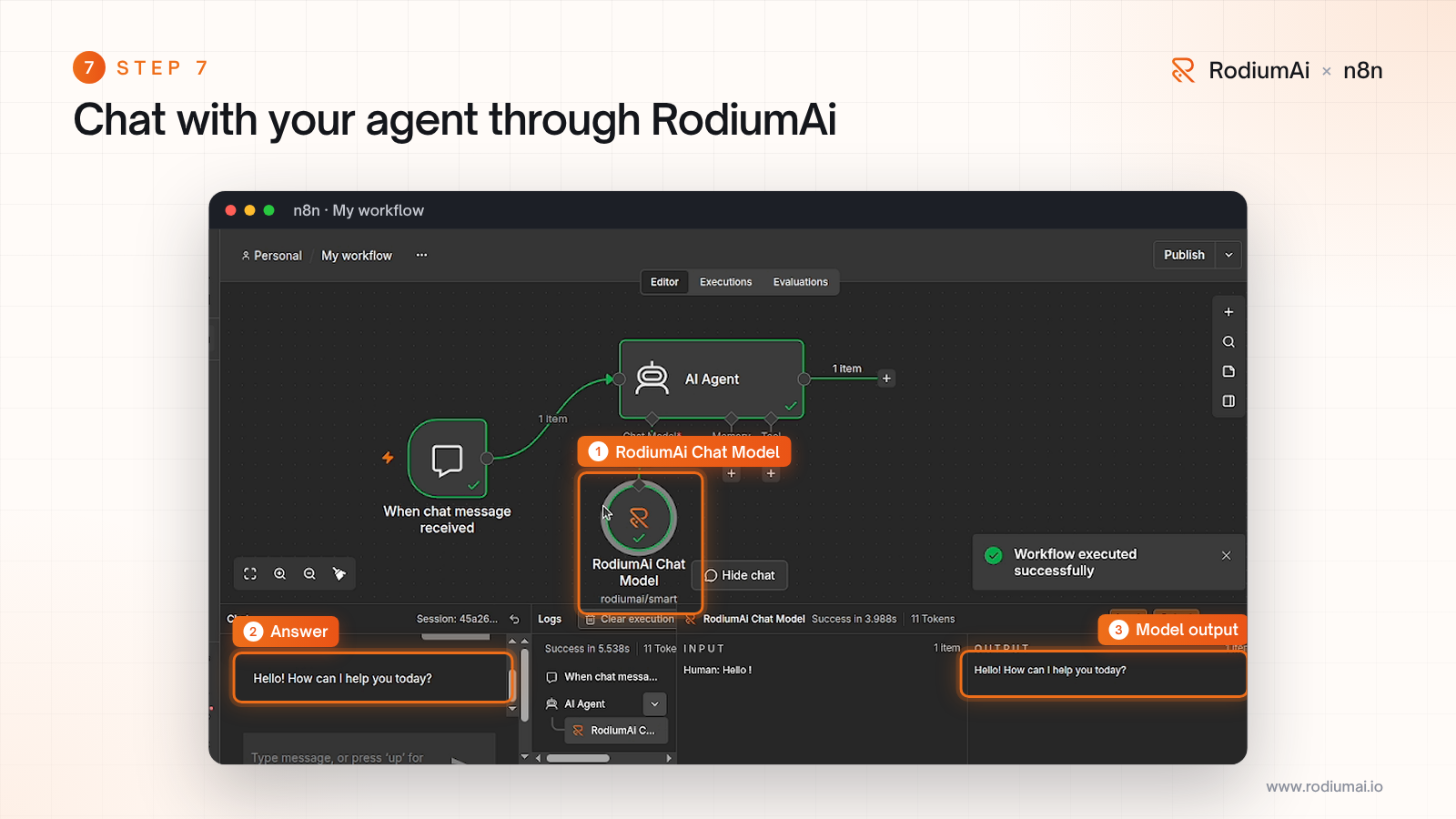
That is it: your n8n agent now reaches its model through RodiumAi.
Smart routing, explained
You do not have to choose a model upfront. RodiumAi offers routing options, written like model IDs, that send each request to a real model from one of the providers:
rodiumai/smart(default): an LLM router reads your request and picks the best candidate. You pay for the router call plus the selected model.rodium/auto: a quick heuristic. A vision model when there are images, a coding model for code or tools, the highest tier for long prompts, otherwise the cheapest model.rodium/basic,rodium/fast,rodium/pro,rodium/max: the cheapest, the fastest, a balanced, or the highest quality model of the profile.
Profiles only bill the selected model, and every candidate respects the models allowed for your API key. Learn more in the smart routing guide.
Call a model without an agent
For batch jobs, use the RodiumAi node instead of an agent. Add it after any node that outputs items, choose Chat › Create Completion, write a system message with your instructions and a user message such as {{ $json.text }}. The node runs once per item.
Need structured data? Set Response Format to JSON Object and describe the expected JSON in your system message: the answer is returned as an object, ready for the next node.
With Simplify Output on, each item returns:
{
  "content": "<the model's answer>",
  "model": "<model returned by RodiumAi>",
  "selected_model": "<model that answered, when a routing model was used>",
  "finish_reason": "stop",
  "usage": { "prompt_tokens": 0, "completion_tokens": 0, "total_tokens": 0 }
}
Clear errors
Errors returned by the RodiumAi API become actionable messages in n8n. For example, Insufficient RODI balance tells you to top up with Mobile Money, Invalid RodiumAi API key points to your credential, and Model not found on RodiumAi asks you to pick a model from the list. The RodiumAi node also supports Continue On Fail and Retry On Fail.
Resources
npm package: n8n-nodes-rodiumai
Source code and example workflows: github.com/RodiumAi/n8n-nodes-rodiumai
Questions: support@rodiumai.io