Claude Code in your terminal — without the usual payment wall
Claude Code is Anthropic's CLI for agentic coding: it reads your repo, runs commands, edits files, and answers in the terminal. For many developers in Africa, the blocker is not the tool itself. It is how you pay for inference: Anthropic-native keys, international cards, and checkout flows that do not match Orange Money, MTN MoMo, Wave, or Mixx by Yas.
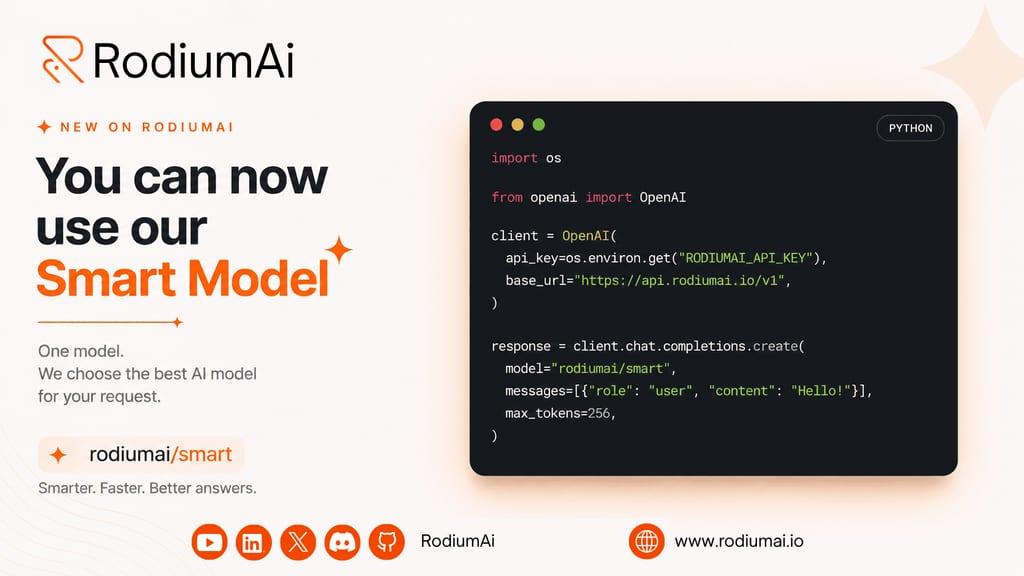
RodiumAi closes that gap. You recharge RODI credits with Mobile Money, create an API key (rd_sk_…), and configure Claude Code to call https://api.rodiumai.io instead of api.anthropic.com. Same CLI experience. Local payment rails.
Why RodiumAi + Claude Code (not a generic OpenAI proxy)
Claude Code does not use OpenAI chat completions. It talks to the Anthropic Messages API — POST /v1/messages. RodiumAi exposes that endpoint and accepts Rodium model slugs such as anthropic/claude-sonnet-4-6, not native Anthropic ids like claude-sonnet-4-20250514.
That means:
One RodiumAi wallet for API usage and Claude Code sessions
Mobile Money top-ups in your local currency
Models from the Rodium catalogue (Sonnet, Haiku, Opus, smart routing profiles)
Billing in RODI — each prompt debits your balance transparently
You keep Claude Code on your machine. RodiumAi is the API gateway and payment layer.
Who this is for
This setup is built for:
Developers who want Claude Code in the terminal but cannot (or prefer not to) use an international card for Anthropic
Teams already on RodiumAi for chat, embeddings, or Laravel/Python/JS SDKs
Students and indie builders paying with Mobile Money
Anyone shipping on Windows, Linux, or macOS who wants a five-minute config, not a VPN-and-card workaround
What you need before you start
Node.js 18+ — required to install the Claude Code CLI via npm
A RodiumAi account and an API key from Dashboard → API Keys (
rd_sk_…, shown once — never commit it)RODI credits on your wallet — each Claude Code request consumes RODI according to the model and tokens used
How it works (overview)
1. Install Claude Code
Install the CLI globally and confirm the version:
npm install -g @anthropic-ai/claude-code
claude --version
Restart your terminal if claude is not found.
2. Fund your wallet with Mobile Money
Open Dashboard → Billing / Wallet, recharge RODI with your preferred Mobile Money operator (MTN, Orange, Wave, Airtel, Moov, Mixx by Yas, and others supported on RodiumAi). Once confirmed, your balance is ready for API and Claude Code usage.
3. Point Claude Code at RodiumAi
The recommended approach is ~/.claude/settings.json (or %USERPROFILE%\.claude\settings.json on Windows) so every launch picks up the config:
{
  "env": {
    "ANTHROPIC_BASE_URL": "https://api.rodiumai.io",
    "ANTHROPIC_API_KEY": "rd_sk_YOUR_KEY",
    "ANTHROPIC_MODEL": "anthropic/claude-sonnet-4-6",
    "ANTHROPIC_SMALL_FAST_MODEL": "anthropic/claude-haiku-4-5-20251001",
    "CLAUDE_CODE_DISABLE_EXPERIMENTAL_BETAS": "1"
  }
}
Replace rd_sk_YOUR_KEY with your real RodiumAi secret. Use Rodium catalogue slugs for models, not Anthropic-native names.
Alternatively, set the same variables as environment variables for a single session or persist them in your shell profile.
4. Verify the connection
Before launching Claude Code, list models from RodiumAi to confirm auth and routing:
curl -s https://api.rodiumai.io/v1/models \
  -H "Authorization: Bearer rd_sk_YOUR_KEY" | head -c 400
You should see slugs like anthropic/claude-sonnet-4-6 in the response.
5. Launch Claude Code and run your first prompt
cd ~/projects/my-app
claude
Inside the CLI:
/status
Explain this repository in 3 bullet points.
Run /status and confirm the base URL shows api.rodiumai.io, not api.anthropic.com.
Typical use cases once configured
Onboard to a legacy codebase — ask Claude Code to map modules, entry points, and tests before you refactor
Ship a feature end-to-end — describe the ticket; let the agent edit, run, and iterate in your repo
Debug production issues — paste logs or stack traces; Claude Code proposes patches with context from your tree
Learn a new stack — use Haiku for quick questions (
ANTHROPIC_SMALL_FAST_MODEL) and Sonnet for deeper refactors
All usage is metered in RODI. Check pricing and your wallet so sessions stay within budget.
Common pitfalls (quick fixes)
SymptomFixInvalid modelSet ANTHROPIC_MODEL to anthropic/claude-sonnet-4-6 (Rodium slug)401 UnauthorizedUse rd_sk_… from RodiumAi, not sk-ant- or other keys/status still shows anthropic.comRestart the terminal after saving settings.json402 insufficient creditsTop up RODI via Mobile Money in the dashboard
RodiumAi vs paying Anthropic directly
Anthropic directRodiumAi + Claude CodePaymentCard / Anthropic billingMobile Money, RODI walletAPI baseapi.anthropic.comapi.rodiumai.ioModel idsNative Anthropic namesCatalogue slugs (anthropic/…)Same CLIYesYes — Claude Code unchanged
RodiumAi does not replace the Claude Code binary. It replaces the billing and API endpoint so you can use the same workflow with rails that work where you build.
Our mission stays the same
Enable African developers, students, and creators to access frontier AI tools — without being limited by payment methods.
API credits, SDKs, and now Claude Code in the terminal: local rails, global models.
See more: step-by-step setup for Windows, Linux, and macOS (install, settings.json, env vars, verification, troubleshooting) — Claude Code + RodiumAi documentation